
Whether you are a knowledgeable gambler or somebody who is just starting out, no deposit online casino bonus codes can use you an amazing opportunity to play your favorite online casino video games without risking your very own cash. In this detailed overview, we will certainly provide you with all the vital info you need […]
With the rise in popularity of cryptocurrencies, Bitcoin has actually emerged as one of the most popular and commonly used electronic currency. Because of this, Bitcoin casino sites have actually ended up being progressively popular, supplying gamers a secure and confidential way to wager online. In this short article, we will certainly discover the best […]
Welcome to the best overview to mobile casino video games! In today’s digital age, on the internet video gaming has come to be progressively popular, and mobile casino sites are an essential component of this joker 6000 pattern. With developments in technology, gamers can now appreciate their favorite casino site video games on the go, […]
Technical SEO is the practice of optimizing a website’s technical aspects to improve its visibility, ranking, and overall success in search engines. The objective of Technical SEO is to make sure that your website is easily discoverable and accessible to search engines so that they can understand its content and provide relevant results to users. Read more
A few days ago I read two news: about a woman who can not bring his baby to 4YFN and she feels discriminate against; about a freelance journalist in Spain who was proud not to stop working even she was a new mum.
As a feminist, I think that’s incredible! No way! That’s not good for women. I think we are a little confused. About work, to be mothers, to be superwomen.
I think what is the real problem: to be a WORKING mother-woman. I’m not judging about is this mother goes to a tech/work event, or the other is proud about not stop working. I’m talking about what happens with WORK and women/mothers.
I think we never STOP, we are working women ALL DAY. And sadly, we PROUD about it.
Why we are proud?
Why we are proud to have no time and never stop working?
Why we are proud to be superwomen?
Today is our day, 8th March, we are working women.
My name is Bárbara Casas, I have 40 years old, my own digital company with my partner, called EBAVS. I’m 100% digital, #womenintech and a # businesswoman. I’m a mum of two kids. And sometimes I feel anxious and tired because to be mum and work is so hard. I’m not a superwoman, and I do not want to be, I’m a real woman.
So, I want to say I do not feel discriminated against at 4YFN, or whatever event, as a working mum. And for that reason, I’m less feminist than others. I think discrimination at work is to earn less money to do the same job or be fired to be a mum.
I think we are a little confused. About work, to be mothers, to be superwomen.
I also thought I was a superwoman, I worked with my babies breastfeeding them when they had 2/3 weeks, and now I realized it was a mistake.
But I worked because I wanted or because I needed it?
The answer is perverse: because I needed it, so I had no choice.
Did these women had a choice? A freelancer with a baby girl of the 5th month? A freelance journalist?
I think not.
So, today:
I fight for have a choice
I fight to have a REAL MATERNAL LEAVE, MONEY PROTECTION, QUALITY TIME.
I fight for REAL FAMILY CONCILIATION.
I fight for REAL WOMEN!
“Never be limited by other people’s limited imaginations” Dra. Mae Jemison.
We went to Mobile Week Barcelona opening and shared this fantastic experience with the other people that excellent speech of Gerfried Stocker about arts and technologies and Marta Peirano about privacy.

We enjoy the big speaker Gerfried Stocker about art and technology. He speaks a lot about how technology helps art, big example with drones and how people are interacting with technology in the last few years. We enjoy it a lot and the big final quote make us think a bit:
Will democracy survive Social Media and Artificial Intelligence?
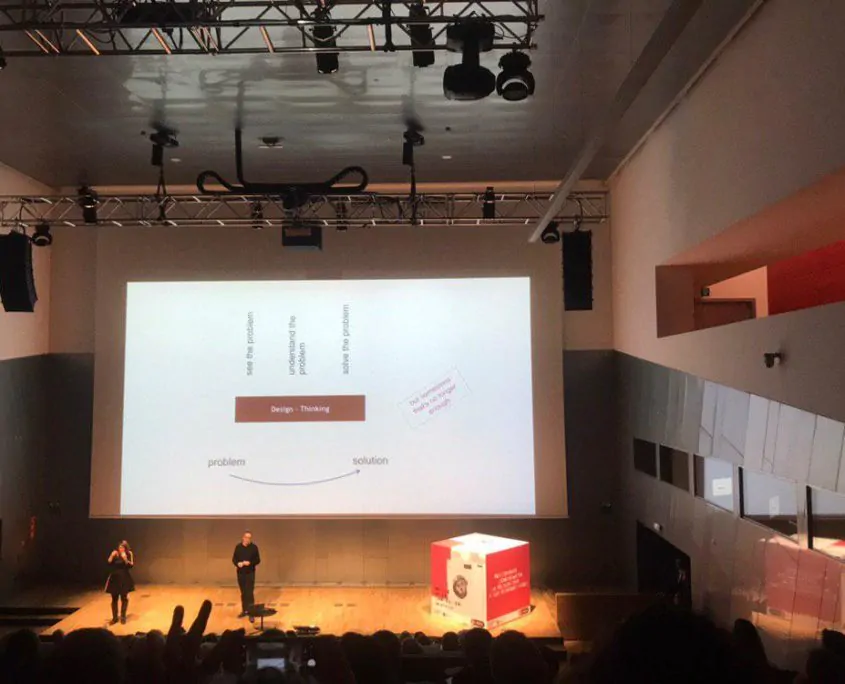
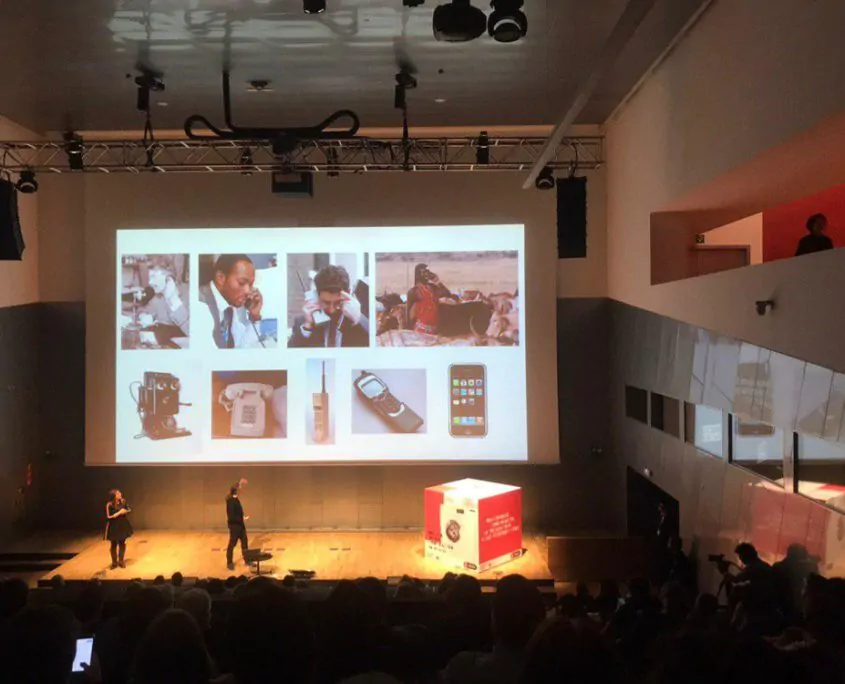
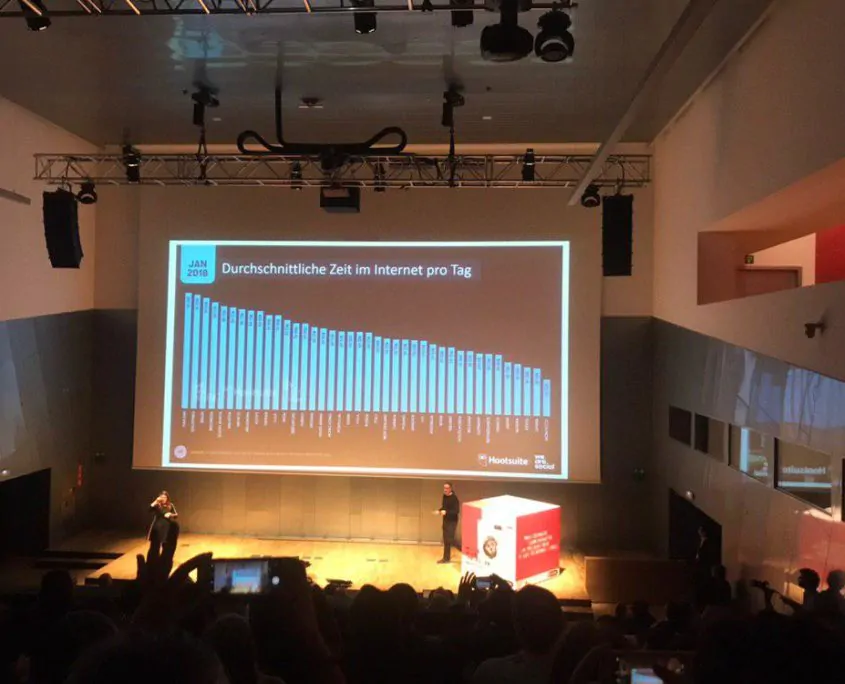
The next speech was awesome. Marta Peirano talks about privacy on the net. Talks about decentralized networks and knowing their goods actually we follow centralized applications managed by centralized companies.
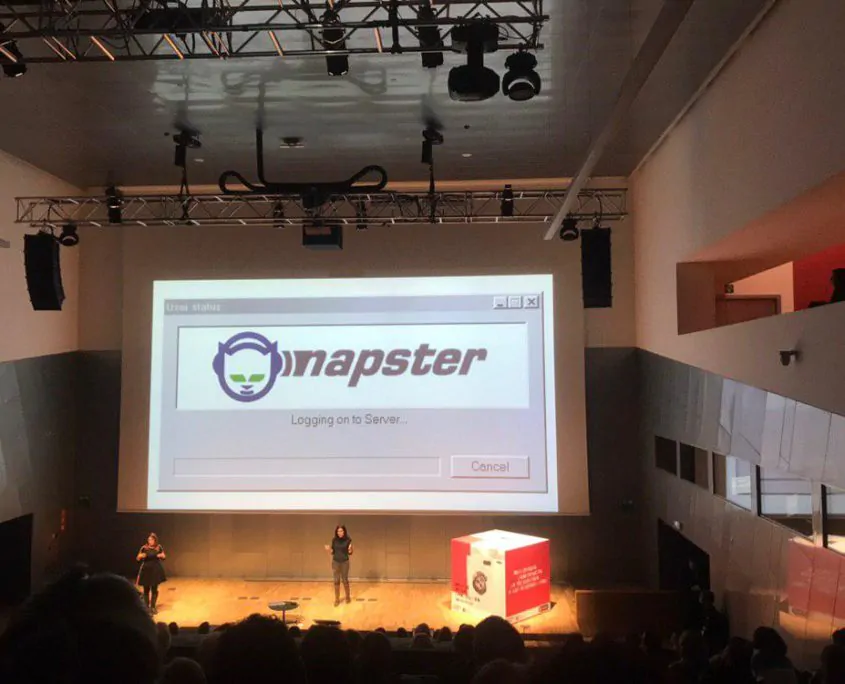
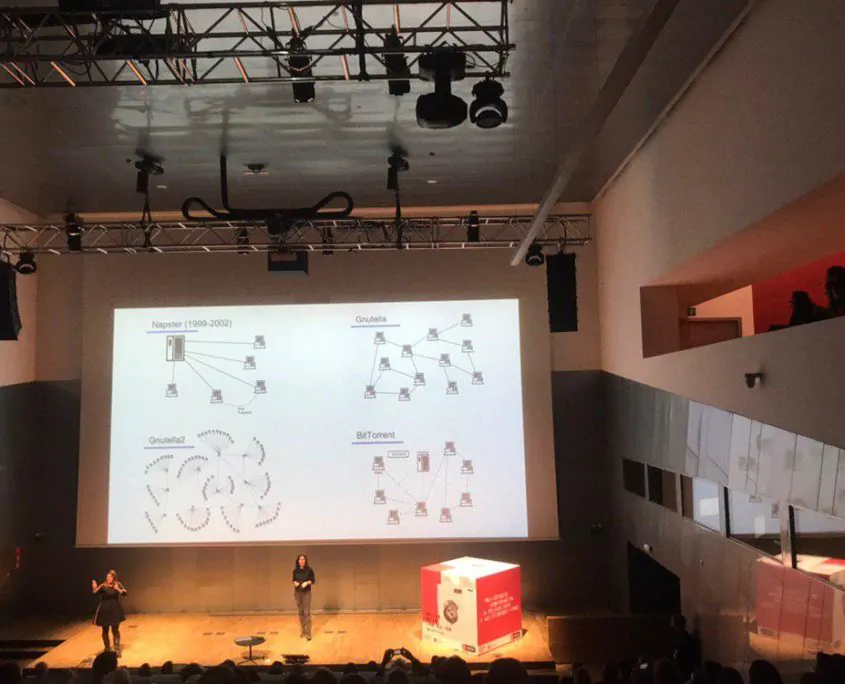
We enjoy art in exposition with art in technology.

We want Thanks Mobile World Capital and AMT Comunicacion to trust us to work side by side to make this big.
The best way to check if there are 404 errors on my site, is to do a monthly check.
There are many tools to review but we use to work with:
1. Google Search Console or WebMastertools
Is a free tool of Google, it’s a good tool to review 404 errors and track what is doing. The service, recently called Google Search Console, allows the creators of web pages to check the status of the indexing of their sites on the Internet by the search engine and optimize their visibility. Also, it is a tool in which you can make modifications to improve the appearance of the web page.
Actually, they are changing the tool and there is a Google Search Console Beta.
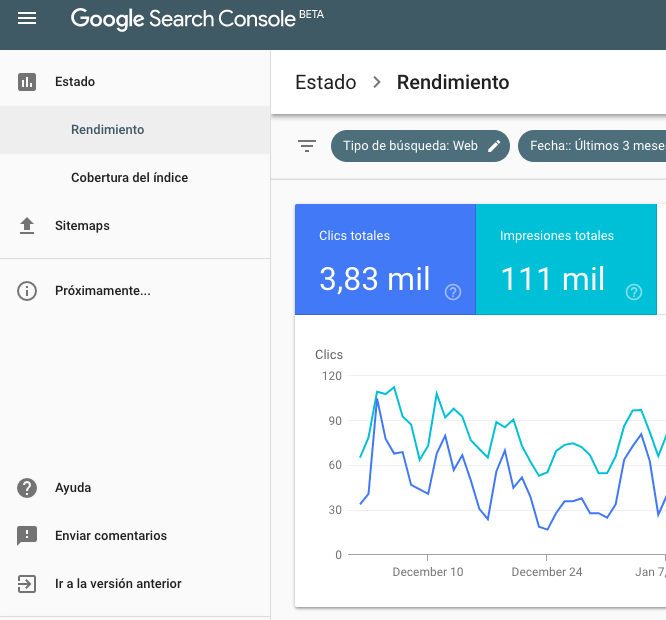
URL: Web Master Tools
2. Ahrefs
In addition to monitoring your link strategy, Ahrefs is a very useful tool for SEO on-page. Ahrefs is a payment tool. To start, you can try it for free for 7 days, after which to continue using it you will have to contact one of its subscription plans.
You could check a summary of Website’s each URL, which will include any possible 404. You can see the Broken Backlinks (the websites that link you with a URL that does not work) in the Inbound Links section and the Broken Links (the pages you link to that return a 404) in the Outgoing Links section.
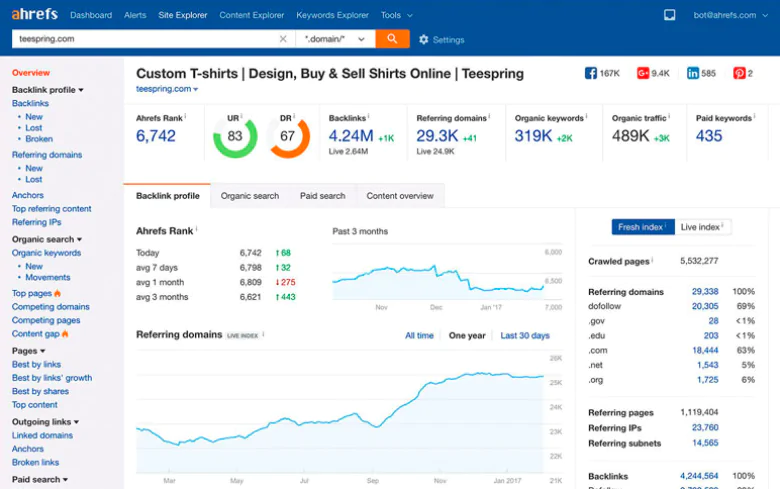
URL: Ahrefs
3. Raventools
Also an online payment tool, you could connect your Social Accounts, Google Analytics. Also, make a crawl report and send you an e-mail with the results.
It’s great to review sites and have a list of the URLs to correct the issues.
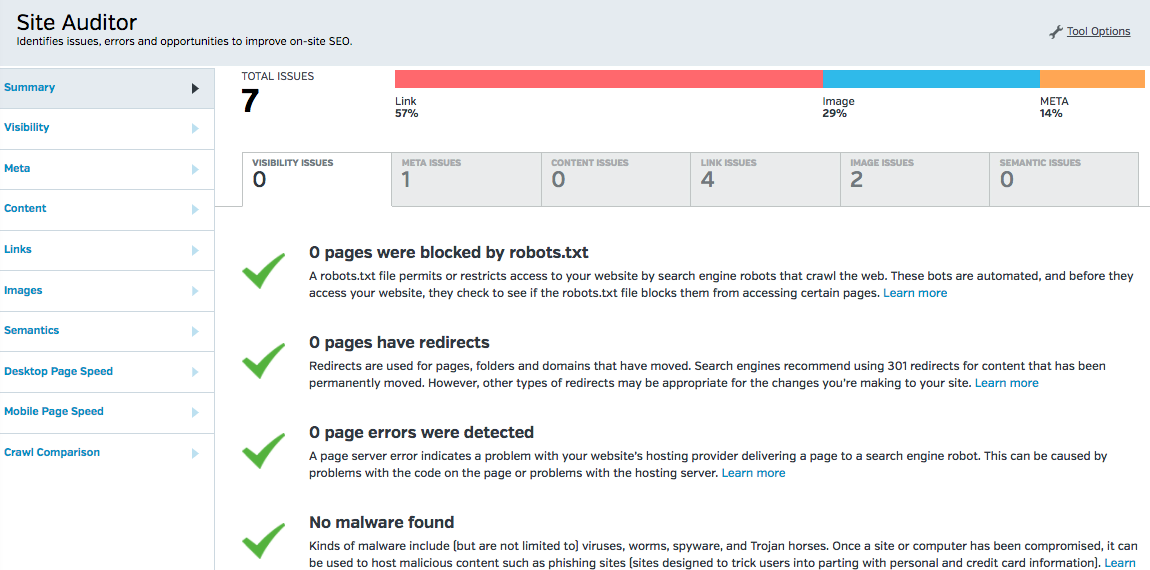
URL: Raven tools
Which is your favourite tool?
This 2018 we have gone to the 5th Edition of 4YFN an event of Mobile World Congress 2018 in Barcelona.
4 Years From Now (4YFN) is the startup business platform of Mobile World Capital Barcelona that enables startups, investors and corporations to connect and launch new ventures together.
We have visited all the areas reviewing startups, projects and IOT and also have been working in SPACES and amazing places for coworking with others visitors. Be freelance and have an event means to work meanwhile you are enjoying the event. :P
These days, we have seen a lot of friends, so Barcelona is a small city where everyone knows each other.
We are so close with our beloved team and clients in 2015 B-wom: the app to solve architectural and functional problems, they have been nominated to win the 4YFN Awards 2018 from 10 finalist startups selected to pitch. We are wishing them a luckily pitch!
Creating news contacts with Startups but we want to underline two startups: psonrie an app that connects a psychologist to people and Biel glasses, a father project to develop smart glasses to improve visual perception of people with low vision.
Also, we have seen a lot of Betahaus friends, as Susana Grau with her project Seeding Growth , Eduardo Forte: CEO & Co-founder en Betahaus, Kim Fredik as CEO of a new platform to connect patients with Doctors: Abi ; or Albert Arguilés with Cocooking. We have done a picture with Seat (see on our Instagram), and B-next (a card that works with all the financials banks and credits) and have discovered Flutter by Google: easy framework and fast to build beautiful mobile apps.
We have gone to a few Workshops and Keynotes in amazing Areas as Nestle Stage, Banco Sabadell Stage or Airbus Stage. For us the most relevant are:
Women4Tech: How To Thrive As A Woman In Tech with Susanne Birgersdotter, talking about Confidence, Self-estimate and Women in Technology.
The Opening Ceremony with an amazing Yossi Vardi – Chairman 4YFN-, Carlos Grau – CEO Mobile World Capital Barcelona Foundation (MWCB) and Esteban Redolfi – Executive Director 4YFN-.
The Story Of Typeform With The Co-Founders And Index Ventures.
A crowdy Workshop with Xavier Foz, partner of Roca Junyen about ICOs: The Issuance Of Tokens As A New Way Of Financing: Initial coin offerings (ICOs) has become the new “gold rush” not only for investors but also for start-ups. Companies issuing tokens have managed to raise billions in aggregate and the financing channelled into blockchain projects through ICOs has already surpassed that coming from traditional venture capital funds.
State Of The Crypto, Token And Blockchain Market a presentation and panel discussion about the current status of the crypto, tokens and ICOs and blockchain market and what the potential future developments.
Startup With Google with Sofia Benjumea, Head of Campus Madrid, has explained how Google is supporting the growth of startups, also presenting the new edition of Campus Residency and the website Startup Google a tool to start your idea.
Finally, we had lunch on the Plaça Major, an area full of amazing food trucks for all foodies and have eaten free gluten of fried bowl potatoes with salad, chicken, avocado and eggplant.
Amazing days in 4YFN: full of conferences and great and new ideas.
Mining cryptocurrency, actually, isn’t profitable because hardware and electricity cost is high than mining earnings. After writing my last Altcoin mining post, some sysadmin colleagues ask me if I knew how to mine in the production server. The result is this post.
Before beginning to write, I want to say that I was tested in the client beast server, underused, with client consent. The server is a basic OVH Hosting Server:
Intel Xeon D-1520 – 4c/8t – 2,4GHz
And after 2 months of mining my earns was near 0,001 Etherum.
This post talks about configuring the server, installing tools and try to mine various cryptocurrencies without hanging the server. Good luck sysadmins!
Mining Ethereum in Ubuntu/Debian
Actually, Ethereum needs a lot of resources to be mined. For me, the best option actually is mine Monero (next section). Anyway, mine ethereum is possible with some number of CPUs.
You need, first of all, to account in any place that allows sending your miner funds. For ethereum you could use Minergate. Here is my referrer link: Minergate
Ethminer
The next step is to install a mining tool. For our purposes, we can use Ethminer. Ethminer isn’t easy to found and install. Some searches always show cpp–ethereum project, but I don’t want to compile my tool, I want to download/install and mine.
After some research I found that I can do this:
|
1 2 3 |
$ sudo add-apt-repository ppa:ethereum/ethereum-qt $ sudo add-apt-repository ppa:ethereum/ethereum $ sudo apt-get update |
We added a new repository to our system and update the repo packages list. Then install ethminer:
|
1 |
$ sudo apt-get install ethminer |
Cool, you have installed the mining tool, and you have your minergate account, time to mine:
|
1 2 3 4 5 6 |
$ ethminer -C -F http://eth.pool.minergate.com:55751/YOUR_EMAIL --disable-submit-hashrate miner 19:51:17.163|ethminer Getting work package... miner 19:51:17.324|ethminer Grabbing DAG for #89c875b9… DAG 19:51:28.910|ethminer Generating DAG file. Progress: 0 % Creating DAG. 0% done...DAG 19:51:42.054|ethminer Generating DAG file. Progress: 1 % Creating DAG. 1% done...DAG 19:51:55.123|ethminer Generating DAG file. Progress: 2 % |
And you will see how DAG begins to generate (DAG is needed to mine ETH, it’s a big file ~3,5Gb) but if you do CTRL-Z (to put your process in the background) and write exit to leave the session, Ethminer stops working.
Using Screen
But, WTF!!! I want my miner working!! Ok, we need to make a process stay work even when we go out. Ubuntu has a solution, screen command. Some Ubuntu versions have installed and others not. You can try to install it with this command:
|
1 |
$ apt-get install screen |
The screen is an application that allows you to use multiple sessions inside the same window. If you write simply screen you will enter in a new session. You can leave with a keyboard shortcut or writing exit.
You can read a complete tutorial about screen here: Digitalocean tutorials Ubuntu Cloud Server
We only need to know some basic commands.
- screen: enters in screen mode
- exit: exits from screen
- CTRL – a ?: Screen help window
- CTRL – a d: Detach window
- screen -r: return to the last screen
And what we do?
|
1 2 |
$ screen $ ethminer -C -F http://eth.pool.minergate.com:55751/YOUR_EMAIL --disable-submit-hashrate |
Push CTRL – a d
And we can exit the shell.
But, WTF Victor!!! Ethminer is putting all my CPUs to 100%. Mmmmm … eeeeh! yeeees!

Limiting CPU Usage
I forgot to limit them! We need to limit CPU, but Ethminer hasn’t any control over CPU number or something. Then we need to install something more. Here comes cpulimit.
|
1 |
$ apt-get install cpulimit |
cpulimit allows limiting the use of one process. How it works; You need to execute the process with final &. This means that put process in the background. When you do this system says process number, for example, you can tail some log meanwhile you are continuing working:
|
1 2 |
$ tailf /var/web/ebavs.net/log/error.log & [1] 6560 |
And 6560 is the process number, we can now limit CPU use of this process:
|
1 |
$ cpulimit -p 6560 -l 500 |
-p is process number
-l is Total CPU, 500 are 50%, 1000 are 100%
Well, now we can put it all together:
|
1 2 3 4 |
$ screen $ ethminer -C -F http://eth.pool.minergate.com:55751/YOUR_EMAIL --disable-submit-hashrate & [1] 7772 $ cpulimit -l 500 -p 7772 |
Push CTRL – a d
And we can exit the shell.
Now, we have finally worked our miner on the server. We can exit all.
Return to miner screen
Our last … We exited all screens, but we want to return to control or stop our process inside a screen session, then we write:
|
1 |
$ screen -r |
And we return to our last screen.
Be careful exiting and returning, sometimes the screen creates new sessions or simply don’t want to connect to the previous screen and you will need to force entry in your miner screen.
Mining Monero
For monero XMR things change, actually, we don’t use minergate yet, we are using other pools and these pools works a little bit different. First of all, you need a Wallet.
Making our Monero Wallet
Monero Wallet is where you store your cryptocurrency. The best option is to make an account in MyMonero (my monero). When you click on Create Account MyMonero advert that is not the safest place for large amounts, but actually my riches are 0,3 XMR and I think isn’t much.
After that they show this screen with Your Private Login Key:
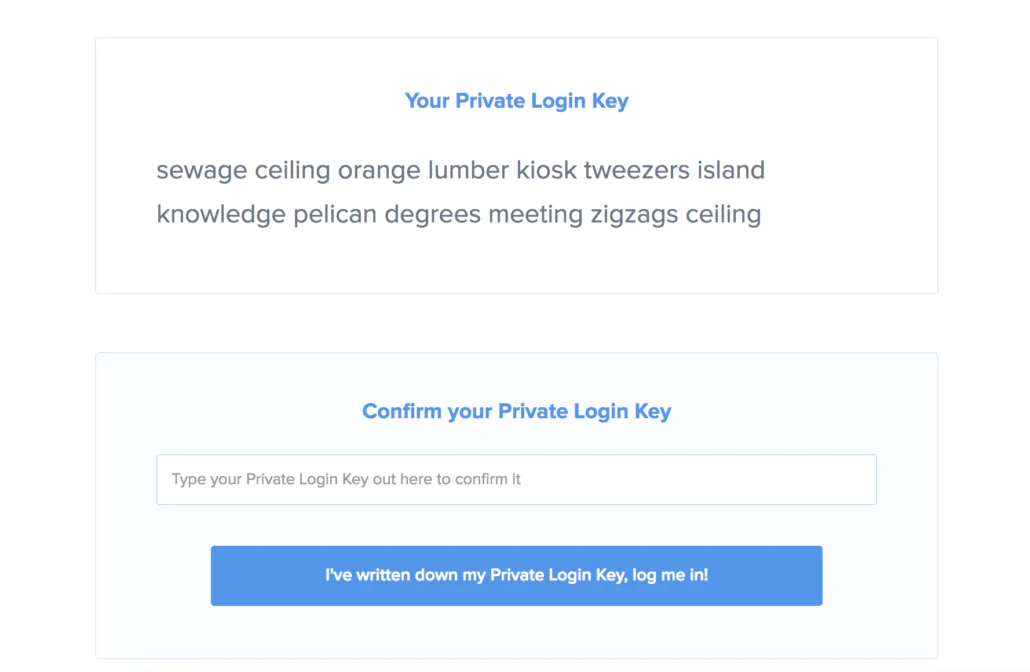
Store your private key in the safest place, if you lose this mnemonic seed, you lose your moneros. This means that you need to write on paper and put it in some safe deposit box or something. I lose, you lose XMR.
Create an account and then gets your Monero Wallet address.
You will need.
Looking For New Pool
After some research, I’ve found one service for use with these tools. Minergate isn’t an option yet because the new pools I’m using give more H/s and more rewards. Actually, I’m using supportxmr.
You don’t need to register to begin to work with their pools. Simply configure your miner’s applications with the username as your wallet address …. and done. If you want to log in simply send your email as a password in the application and you could log in in supportxmr.
XMR-Stak for Ubuntu
XMR-Stak is a project to mine Monero. Firstly, this project, was divided in three different projects; xmr-stak-cpu, xmr-stak-nvidia, xmr-stak-amd. You could choose from one of three (depending on if you want to mine with GPU or CPU). But actually, this project was joined these three applications in only one: xmr-stak.
Ok, let’s go! The process is similar to ethminer but, in this case, without cpulimit. XMR-Stak has processor selection, you can select what processor you want to mine. I will show you. Then, go to install. Project is on GitHub:
Well, login to your server and download and install:
|
1 2 3 4 5 6 7 8 |
$ mkdir xmr-stak $ cd stak $ curl -L -O https://github.com/fireice-uk/xmr-stak/releases/download/v2.0.0/xmr-stak-portbin-linux.tar.gz % Total % Received % Xferd Average Speed Time Time Time Current Dload Upload Total Spent Left Speed 100 620 0 620 0 0 1078 0 --:--:-- --:--:-- --:--:-- 1078 100 11.8M 100 11.8M 0 0 2784k 0 0:00:04 0:00:04 --:--:-- 4062k $ tar xzf xmr-stak-portbin-linux.tar.gz |
After decompress we need to create configuration files, but xmr-stak can do it by himself, simply execute:
|
1 2 3 4 5 6 7 8 9 10 11 12 13 14 15 16 17 18 19 20 21 22 23 24 25 26 27 28 29 30 31 32 33 34 35 36 37 38 39 40 41 42 43 44 45 46 |
$ ./xmr-stak.sh ./xmr-stak.sh Please enter: - Currency: 'monero' or 'aeon' monero - Pool address: e.g. pool.usxmrpool.com:3333 37.59.52.83:3333 - Username (wallet address or pool login): 46qwxYavWAhTGvXodNoiSZNuXDr4rNx4FiMh6NdXnP2tFFBFiQggZT6C2qRT1i2B2iduunbhoUpwrKznWNX44eTXm3Y - Password (mostly empty or x): teststak - Does this pool port support TLS/SSL? Use no if unknown. (y/N) n - Do you want to use nicehash on this pool? (y/n) n - Do you want to use multiple pools? (y/n) n Configuration stored in file 'config.txt' [2017-11-23 16:41:58] : MEMORY ALLOC FAILED: mmap failed [2017-11-23 16:41:58] : MEMORY ALLOC FAILED: mmap failed ------------------------------------------------------------------- xmr-stak 2.0.0 0005e4a Brought to you by fireice_uk and psychocrypt under GPLv3. Based on CPU mining code by wolf9466 (heavily optimized by fireice_uk). Based on NVIDIA mining code by KlausT and psychocrypt. Based on OpenCL mining code by wolf9466. Configurable dev donation level is set to 2.0% You can use following keys to display reports: 'h' - hashrate 'r' - results 'c' - connection ------------------------------------------------------------------- [2017-11-23 16:41:58] : Start mining: MONERO WARNING: NVIDIA Insufficient driver! [2017-11-23 16:41:58] : WARNING: backend NVIDIA disabled. [2017-11-23 16:41:58] : WARNING: UNKNOWN_ERROR when calling clGetPlatformIDs for number of platforms. [2017-11-23 16:41:58] : WARNING: No OpenCL platform found. [2017-11-23 16:41:58] : WARNING: No AMD OpenCL platform found. Possible driver issues or wrong vendor driver. [2017-11-23 16:41:58] : WARNING: backend AMD disabled. [2017-11-23 16:41:58] : CPU configuration stored in file 'cpu.txt' [2017-11-23 16:41:58] : Starting single thread, affinity: 0. |
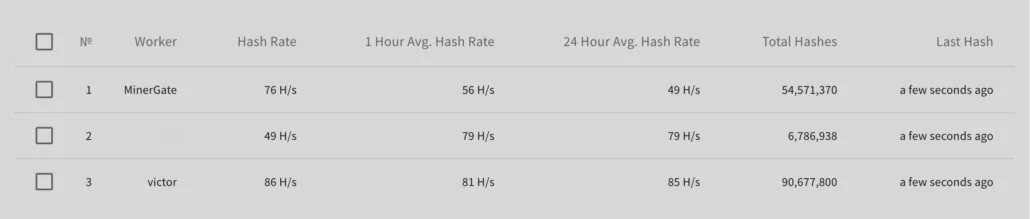
When you execute, xmr-stak, looks for config.txt and cpu.txt. If these files aren’t there program ask you some questions. Currency to mine, URL for pool and some more, I recommend that answer like me, excepting Username that is your monero wallet address and password, that you can write wherever you want. Is important that the password be unique because identify your instance in the pool. I have 3 machines working and the password looks like Workers t in the machine list:
Then, Here are three important lines to look for:
- Configuration stored in file ‘config.txt’
- CPU configuration stored in file ‘cpu.txt’
- MEMORY ALLOC FAILED: mmap failed
The two first lines say that config files are saved. Let’s see.
XMR-stak cpu.txt
In cpu.txt is where xmr-stak saves CPU configuration after system testing. Look file:
|
1 2 3 4 5 6 7 |
"cpu_threads_conf" : [ { "low_power_mode" : false, "no_prefetch" : true, "affine_to_cpu" : 0 }, { "low_power_mode" : false, "no_prefetch" : true, "affine_to_cpu" : 1 }, { "low_power_mode" : false, "no_prefetch" : true, "affine_to_cpu" : 2 }, ], |
For a four (4) CPU system, xmr-stak, generates three lines, Total CPU – 1. If you read my other post you know that is important to leave 1 CPU free when mining. For this particular case, I will put only 1 CPU. Because this machine sometimes has tasks to do.
XMR-stak config.txt
this file has some other configs, for me, the important is:
|
1 2 3 4 5 6 |
"pool_list" : [ {"pool_address" : "37.59.52.83:3333", "wallet_address" : "46qwxYavWAhTGvXodNoiSZNuXDr4rNx4FiMh6NdXnP2tFFBFiQggZT6C2qRT1i2B2iduunbhoUpwrKznWNX44eTXm3Y$ ], "currency" : "monero", |
You can configure to some important things like run in daemon, or activate HTTP for show reports via the web. This could be important if you are running the process on a server but is out of the scope of this post.
MEMORY ALLOC FAILED: mmap failed
This is normal, XMR-Stak needs some memory to mine and systems to have limits for only one process.
To solve this problem; open /etc/sysctl.conf and add at the end:
|
1 |
vm.nr_hugepages=128 |
Then open /etc/security/limits.conf and add at the end:
|
1 2 |
* soft memlock 262144 * hard memlock 262144 |
You only need to leave the session and enter again and this value applies, don’t need to reboot. If you have more errors or problems you can go to:
Put XMR-stak to work
Ok, easy, no?
|
1 2 |
$ screen $ ./xmr-stak.sh |
CTRL+a d
And go to work!
XMR-Stak for Windows
When you work with Windows all is different. Simply download from here:
Download Zip Github Xmr-Stak releases
Decompress wherever you want, in some folder and just execute it, xmr-stak ask same questions the ubuntu version:
|
1 2 3 4 5 6 7 8 9 10 11 12 13 14 15 |
xmr-stak.exe - Currency: 'monero' or 'aeon' monero - Pool address: e.g. pool.usxmrpool.com:3333 37.59.52.83:3333 - Username (wallet address or pool login): 46qwxYavWAhTGvXodNoiSZNuXDr4rNx4FiMh6NdXnP2tFFBFiQggZT6C2qRT1i2B2iduunbhoUpwrKznWNX44eTXm3Y - Password (mostly empty or x): teststak - Does this pool port support TLS/SSL? Use no if unknown. (y/N) n - Do you want to use nicehash on this pool? (y/n) n - Do you want to use multiple pools? (y/n) n |
And begin to mine automatically.
Nothing more, you can disconnect from your Remote Desktop and server continue mining for you.
Don’t forget to adjust CPU number in config.txt to avoid using all CPUs in your server.
Claymore’s CryptoNote Windows CPU Miner v3.5
One of my favourites, and was the first I’ve found to mine with CPU is Claymore’s CryptoNote Windows CPU version. You can download it from here:
github nanopool Claymore-XMR-CPU-Miner releases
Decompress it and you can run with a command like that:
|
1 |
NsCpuCNMiner64.exe -o stratum+tcp://pool.supportxmr.com:5555 -u YOUR_WALLET_ADDRESS -p x -t 4 |
My command is:
|
1 |
NsCpuCNMiner64.exe -o stratum+tcp://fr01.supportxmr.com:5555 -u 46qwxYavWAhTGvXodNoiSZNuXDr4rNx4FiMh6NdXnP2tFFBFiQggZT6C2qRT1i2B2iduunbhoUpwrKznWNX44eTXm3Y -p new_worker -t 4 |
But Claymore has an extra cool option. You can specify -low CPU option that increases hash rate if you have a CPU with AES-NI capability.
Final Words
Is easy to mine in any system, if you have patience and don’t need a lot of rewards you can easily use not used CPU. There are some more options like ccminer or CPUMiner-multi. You have also Minergate but actually, I don’t recommend that due to their low hash rate and high fee.